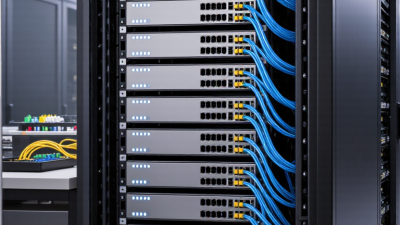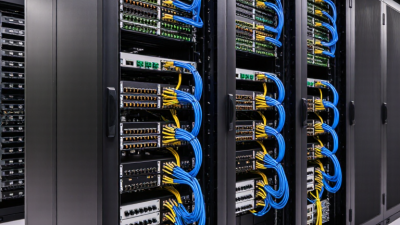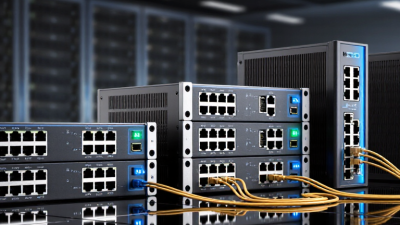
Choosing Juniper EX Switches is less about buying the largest model and more about matching the switch to real workloads. Count access ports, check PoE needs, and confirm uplink speeds before comparing product tiers. A busy office floor, for example, may need PoE for phones and access points, while a server room may need faster uplinks and redundant connections. Small details matter.
Flexera’s 2024 State of the Cloud Report found that 89% of surveyed organizations used a multi-cloud strategy, while 73% reported a hybrid-cloud strategy. Those figures do not prescribe a switch model. They do show why a business should consider traffic growth, segmentation, and reliable links between sites and services. IDC’s Worldwide Quarterly Ethernet Switch Tracker offers another useful reference by following market revenue and shipment trends. Neither report replaces a site survey.
As Sun Microsystems computer scientist John Gage famously put it, “The network is the computer.” For buyers, that idea makes day-to-day operation part of the decision: Who will configure the switches? How quickly can staff diagnose a failed link? Juniper EX Switches span different needs, so compare port density, PoE budget, redundancy, management options, and support terms against your own environment. Not every company needs the same feature set. And the cheapest option may not stay cheapest if it creates extra work or leaves too little room for growth. A careful choice starts with measured requirements, not a feature checklist alone.

A useful switch assessment starts with the work people actually do. Count wired devices at each location, including desk phones, printers, cameras, and wireless access points. Note where they connect and how often staff move between rooms. A small office with 25 users may need more ports than expected once shared equipment is included. Check current traffic during busy hours, not only quiet periods. Video calls and large file transfers can reveal congestion quickly.
Think about growth in practical terms. Estimate new employees, added access points, and planned applications over the next three to five years. Leave spare ports and uplink capacity, but avoid paying for expansion that has no clear purpose. Plans change. Power needs matter too: access points and cameras may require power through the network, and their combined demand can exceed an early estimate. This is easy to overlook. Review the expected power draw against the switch’s available budget.
Map the physical network before choosing a model. A wiring closet with limited cooling, shallow racks, or older cabling can affect the right fit. Confirm whether separate departments need traffic isolation, and decide how much downtime the business can tolerate. A second switch may improve resilience, but it also adds cost and management work. Test assumptions against real device counts and floor plans; forecasts are useful, though rarely perfect.
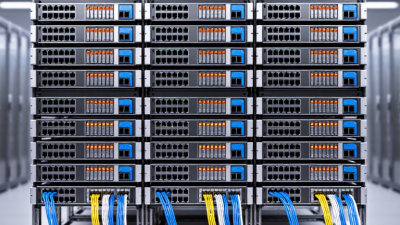
Start by listing the devices each switch must connect: desk phones, access points, cameras, printers, and servers. Count current ports, then allow room for likely growth. A 24-port model may fit a small office, while busy floors often need 48 ports or several switches. Check uplink speed as carefully as port count; a full access switch can still bottleneck through a narrow connection to the network core. Measure twice. Also confirm power needs. Phones and wireless access points may require Power over Ethernet, and their combined demand should stay within the switch’s power budget.
Tips: Keep a few ports free, check cable types, and verify rack depth, airflow, and noise limits before ordering.
Choose the deployment type around your layout and support capacity. A standalone switch can suit a small site with simple needs. A stack can simplify management across multiple units, but check how failures affect the group. For a spread-out building, compare fiber uplinks with copper runs and consider where equipment rooms sit. A neat port spreadsheet helps, though it can miss future devices or peak power use. Recheck assumptions with facilities and IT staff before finalizing the size. The best fit is not always the largest one.
Compare common access-port configurations with typical deployment scenarios.
8-, 24-, and 48-port configurations are common choices for business access networks. Estimate the number of wired endpoints—including computers, phones, printers, and access points—and allow room for growth. Deployment labels are planning examples, not strict limits.
Choose access switches by matching their performance to real traffic, not headline port speeds. A small office may run smoothly on standard gigabit access, while busy design teams need faster uplinks for large file transfers. Check switching capacity and forwarding rates together. A strong uplink cannot fix congestion across an overloaded switch fabric. Measure peak traffic during backups, video meetings, and software updates. Those brief spikes matter.
PoE requirements deserve a separate budget. Count wireless access points, cameras, and desk phones, then check each device’s power draw. Add their totals and leave headroom for future equipment. Leave headroom. A switch with enough powered ports can still fall short if its total power budget is too low. Higher-power devices may also need specific PoE standards, so verify compatibility before ordering. I would avoid sizing to the exact watt; real deployments rarely stay exact.
Layer 3 features affect how traffic moves between networks. Basic routing can connect user, voice, and guest VLANs without sending every packet through a separate router. For larger sites, compare supported routing protocols, redundancy options, and policy controls. Keep management complexity in view. Advanced features are useful only when staff can configure and troubleshoot them reliably. A practical test is to map one day’s traffic and device list against the proposed configuration; gaps often show up there.
Choose a switch platform by how your team will manage it day to day. Compare centralized, cloud-based management with local control, then check for role-based access, configuration history, alerts, and reliable rollback. A missed firmware window can leave a branch exposed; a rushed update can also interrupt a busy office.
Small details matter. Ask who receives alerts at 2 a.m. and whether they can diagnose a failed link without visiting the site. Verify that the models you shortlist support your required authentication, segmentation, and logging features; availability may vary by model or license.
Security and integration should fit your existing controls, not create parallel systems. The 2024 Data Breach Investigations Report found that human involvement appeared in 68% of breaches, reinforcing the value of clear permissions and auditable changes. The 2024 Cost of a Data Breach Report put the global average breach cost at $4.88 million; that figure is not specific to network switches, but it shows why access controls deserve scrutiny.
Test compatibility with your monitoring tools, identity services, automation APIs, and current cabling. A lab test with one access switch can expose mismatched VLANs, authentication delays, or missing telemetry before a wider rollout. It is easy to assume integration will be simple. Test that assumption.
A practical switch shortlist starts with the work it must carry: user access, voice traffic, wireless access points, or connections between network closets. Match port count, uplink speed, and power delivery to real demand, then leave room for growth. Compare the purchase price with support coverage, replacement time, and software maintenance over several years. A low-cost model can become expensive when a failed unit sits in a busy closet for days. Keep it simple.
Support needs depend on how quickly your team can diagnose and replace equipment. Uptime Institute’s 2024 Annual Outage Analysis reported that 54% of respondents’ most recent significant outages cost more than $100,000; 16% reported costs above $1 million. Those figures cover data-center outages broadly, not switch failures alone, but they show why recovery planning deserves budget. For a small office, business-hours support may be enough. For sites operating around the clock, check response targets, advance replacement, and access to technical specialists before selecting a model. The trade-off is not always obvious.
Tips: Build a three-column shortlist: required features, total cost, and support terms. Verify that the proposed model meets today’s needs, then test one growth scenario, such as doubling access-point power demand. Ask your network team what recovery time is realistic. Their estimate may be imperfect, but it is better than guessing.
| Candidate profile | Typical access ports | Power over Ethernet (PoE) | Uplink considerations | Relative budget | Support and deployment fit | Best suited for |
|---|---|---|---|---|---|---|
| Compact access | 8–12 Gigabit Ethernet ports; check whether the selected unit is fixed-port or expandable. | Choose PoE only if devices such as phones, cameras, or access points need switch-supplied power. | Confirm the number and speed of uplinks; allow capacity for traffic aggregation and growth. | Lower | A good fit where local IT can handle routine changes and downtime can be managed without on-site replacement coverage. | Small offices, meeting rooms, and limited endpoint groups. |
| Standard 24-port access | 24 Gigabit Ethernet ports; compare copper and fiber options against existing cabling. | Non-PoE or PoE variants may be available; size the total power budget for all connected devices, not just the port count. | Check uplink speed and count against expected traffic between access and distribution layers. | Lower to moderate | Consider business-hours support for non-critical sites, or faster response and replacement options where outages affect operations. | Small and midsize workgroups with predictable wired-device counts. |
| High-density 48-port access | 48 Gigabit Ethernet ports; confirm rack space, power, cooling, and available uplink capacity. | PoE capability and total power budget vary by configuration; include peak device draw and reasonable headroom in planning. | Higher-speed uplinks can reduce oversubscription when many clients share the switch; validate the end-to-end path. | Moderate | For a busy site, prioritize 24/7 access to technical assistance, defined response targets, and advance hardware replacement if offered. | Larger floors, classrooms, and offices with many wired endpoints. |
| Multigigabit access | Port speeds above 1 Gigabit Ethernet on supported ports; verify each port’s supported rates and cabling requirements. | Useful when higher-speed wireless access points or other powered devices require both faster links and PoE; verify per-port and total power limits. | Select uplinks that can carry aggregated access traffic without becoming the bottleneck. | Moderate to higher | Plan for configuration validation and performance monitoring; choose support coverage that matches the impact of wireless or application disruption. | Sites upgrading access points or serving bandwidth-intensive endpoints. |
| Redundant or resilient access | Port count and speed depend on the design; assess whether paired units or supported stacking/virtual-chassis features meet the availability goal. | Check how power-supply redundancy, PoE delivery, and device failover behave in the chosen configuration. | Design redundant uplink paths and verify that upstream devices and cabling also provide redundancy. | Higher | Best aligned with 24/7 support, clear escalation paths, and a documented replacement plan; confirm exact service terms before purchase. | Sites where network interruption has significant operational or financial impact. |
Planning note: These are generic selection profiles, not exact product specifications or price quotations. Available port speeds, PoE budgets, uplink options, redundancy features, and support terms vary by configuration and region. Verify the current product datasheet and service terms, and compare total cost of ownership—including licensing, optics, power, and support—before selecting a model.