Choosing Juniper Ex Switches is not just a matter of comparing port counts or picking the newest model. The right choice depends on your network’s size, workload, budget, and plans for growth. A small office may need a compact switch with a few uplinks, while a campus network may require higher port density, faster connections, and room for expansion. Details matter. Power over Ethernet requirements, rack space, airflow, and existing cabling can all affect whether a switch fits your environment. Product specifications and capabilities vary by model and generation, so verify them against current Juniper documentation before making a purchase.
This guide presents seven practical tips for evaluating options. It covers how to match port speeds and PoE capacity to real workloads, assess uplink needs, and check compatibility with your existing network. It also considers management tools, support availability, hardware condition, and total cost of ownership. A low purchase price can be appealing, but it may not include the licenses, optics, or support your deployment needs. Look closely. The best choice is not always the most powerful one; it is the model that meets today’s requirements without creating avoidable limits tomorrow. Some decisions remain imperfect, especially when budgets and future demand are uncertain. That is worth acknowledging. Use the tips to compare candidates carefully, confirm important details with reliable sources, and make a decision grounded in your actual network plans.
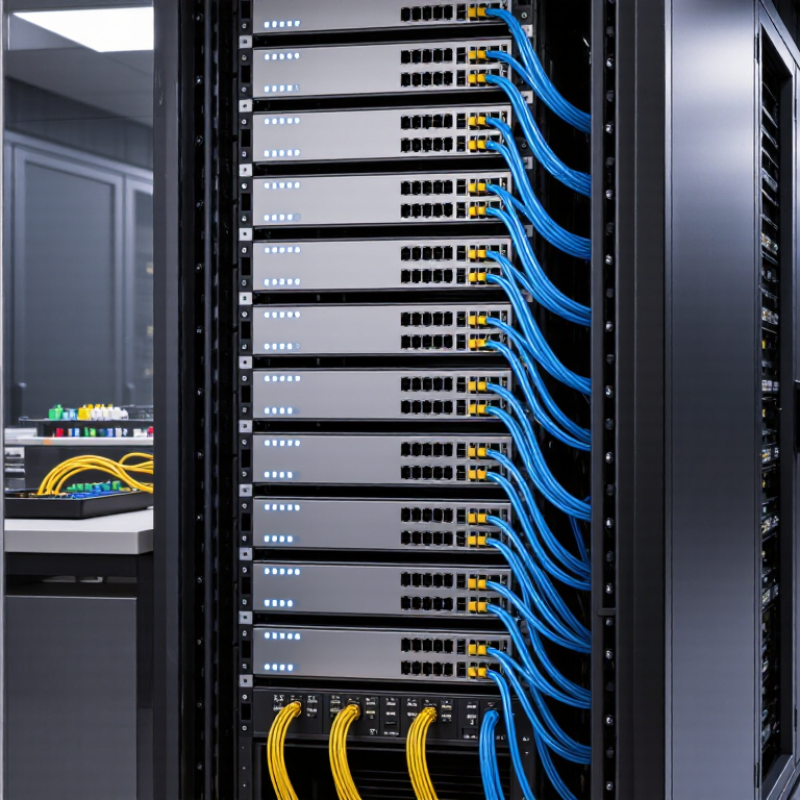
A network switch connects endpoints and gives traffic a controlled path between users, servers, and other network segments. At the access layer, it may connect desk phones, laptops, cameras, and wireless access points. Higher in the network, aggregation switches combine traffic and apply routing or security policies. Core switches move large traffic flows between major areas. Placement matters. A powerful switch in the wrong layer can add cost without fixing congestion.
Reliability deserves equal attention. Uptime Institute’s 2024 Annual Outage Analysis reported that 54% of respondents’ most recent significant outages cost more than $100,000. That figure is not switch-specific, but it shows why capacity, redundancy, and fault visibility matter. Check port speeds, PoE needs, uplink capacity, VLAN support, and monitoring options against actual traffic patterns. A crowded wiring closet tells a clearer story than a generic sizing chart. Still, traffic forecasts can be wrong.
Tip: Map each switch’s role before comparing models. Count devices, measure peak uplink use, and confirm whether Layer 3 routing belongs at the access or aggregation layer. Leave room for growth, but do not overbuy on guesswork. Test failover with a real link interruption; the result may be less tidy than the diagram.
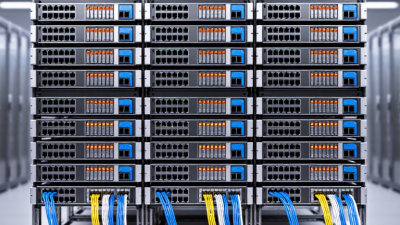
Start with the number of devices the switch must support, then add room for near-term growth. Count access points, cameras, phones, printers, and uplinks separately. Leave room. A 24-port unit can fill quickly when several ports serve infrastructure rather than desks. Check whether you need copper, fiber, or both; the right mix depends on cable routes and connected equipment. Then confirm link speeds. A fast server uplink will not help if the switch port or transceiver supports a lower rate. Not every endpoint needs the highest speed, though. That is easy to overbuy.
For powered devices, total their expected wattage and compare it with both per-port limits and the switch’s combined power budget. Leave headroom for startup draw and devices added later. Check the power supply and electrical circuit, too; a fully loaded switch needs more than just enough ports. A spreadsheet helps, but it can miss real-world variation in device demand. Verify typical and peak consumption where possible. Also consider uplink capacity: several busy access ports can compete for a single uplink, even when each individual connection meets its speed target.
Choose a switch with enough ports and link speed for your devices, then check that its PoE standard and total power budget can support them. The chart shows the maximum power a switch port can provide under each IEEE PoE standard.
Values are maximum power supplied at the port: actual power available to a device can be lower because of cable losses. Also verify the switch’s total PoE budget, not just its per-port limit.
Compare EX models by role, not just port count. An access switch may offer many Gigabit ports but limited high-speed uplinks. A higher-tier model may provide faster uplinks and greater switching capacity for aggregation. Check the exact model and hardware revision. Similar names do not guarantee similar performance.
Look beyond the headline capacity figure. Compare switching capacity with forwarding rate, since one describes bandwidth and the other packet-processing ability. Check whether figures are full duplex, and note the tested packet size. Small packets can stress a switch differently from large data transfers. Details matter.
Picture a wiring closet with 48 busy ports and two uplinks. If those uplinks are much slower than the combined access traffic, congestion may appear during backups or video calls. Calculate likely peak traffic, then leave room for growth. Also verify stacking limits, uplink options, and power needs for PoE devices. I would not choose on capacity alone; I once treated a maximum figure as a practical promise, which was too optimistic. Measure the actual workload, and confirm specifications in the current datasheet before ordering. Even a neat spreadsheet can miss burst traffic.
Before comparing prices, identify the exact switch model and software release you need. Features can vary by hardware version and software train, even when two units look nearly identical. Check the vendor’s current release notes and compatibility matrix for your intended functions, such as routing protocols, virtual chassis, or automation. Do not rely on a marketplace description alone. Small print matters.
Licensing deserves the same attention. Confirm which features are included, which require a separate entitlement, and whether a license transfers with a used unit. Ask for the license status in writing, then verify it through an official support or account channel when possible. A low purchase price can become less attractive if a needed feature is locked or support access has expired. I still find this easy to overlook.
Match the switch’s capabilities to your actual environment. Check port speeds, power budgets, supported transceivers, stacking requirements, and any feature limits tied to the chosen release. If you need a specific security or monitoring function, test it in a lab or request a documented demonstration before deployment. Keep the model number, software version, and license details together in your purchasing records. That takes minutes. It can prevent a costly mismatch later.
When comparing enterprise switches, look beyond the purchase price. Check whether technical support covers the exact model, software version, and installation location. Ask how quickly a replacement unit ships, and whether shipping costs extra. A one-day response is not always a one-day repair. Read the fine print. Confirm support hours, escalation paths, and access to software updates before signing.
Warranty length matters, but its exclusions matter more. Verify coverage for power supplies, fans, and other replaceable parts, and find out who pays for diagnosis or return freight. Then estimate total ownership costs over three to five years. Include support renewals, spare hardware, compatible optics, power use, and staff time for troubleshooting. A low-cost switch can become expensive if a fault leaves a busy network segment down while teams wait for parts. Ask vendors for written service terms, not just a sales estimate. That detail helps make quotes comparable. One practical caution: spreadsheet estimates often understate downtime because they assume a quick fix. Use realistic recovery times, and revisit the assumptions after deployment.
| Tip | What to Evaluate | Evidence to Request | Cost or Operational Signal |
|---|---|---|---|
| 1. Confirm support coverage | Check support hours, severity definitions, response targets, escalation routes, and whether help is available in the regions and languages your team needs. | Written service terms, coverage hours, severity matrix, escalation process, and a description of what each response target does—and does not—guarantee. | Compare the support fee and service scope over the planned ownership period. A response target is not necessarily a guaranteed resolution time. |
| 2. Read the warranty details | Verify coverage length, eligible hardware, repair or replacement process, shipping responsibility, labor coverage, and exclusions. | The applicable warranty document for the exact model and sales region, plus details on replacement timing and any return-shipping requirements. | Identify costs that remain with the buyer, such as technician labor, expedited shipping, or temporary replacement equipment. |
| 3. Check software and update access | Determine whether software updates, security fixes, management tools, or specific features require a separate entitlement or recurring subscription. | A written list of included features, required licenses, renewal terms, and the process for receiving updates and security fixes. | Include recurring fees and renewal dates in the budget; confirm what changes if an entitlement expires. |
| 4. Validate compatibility | Match port speeds and counts, uplink needs, transceivers, cables, power-over-network requirements, rack space, and power connections to the existing environment. | A bill of materials and compatibility confirmation for the exact switch, optics, cables, power supplies, and intended connected equipment. | Account for required optics, cabling, power accessories, and any replacement of existing components—not just the switch price. |
| 5. Size capacity and resilience | Assess port capacity, uplink bandwidth, power budget, expected traffic growth, redundancy options, and the effect of a device or link failure. | A design review showing expected utilization, growth assumptions, failover behavior, and any additional hardware needed for redundancy. | Compare the cost of spare capacity and redundant components with the operational impact of congestion or an outage. |
| 6. Calculate total ownership cost | Include purchase price, support, licenses, optics, power, installation, training, spares, and expected maintenance over the same time period. | A multi-year cost breakdown with assumptions for energy use, electricity rates, support renewals, deployment labor, and replacement parts. | Total ownership cost = acquisition + support and licenses + deployment + power + spares and maintenance. Use consistent time periods when comparing options. |
| 7. Review lifecycle and exit plans | Check expected availability, end-of-sale and end-of-support notices, software maintenance timelines, and the migration path when the product reaches end of support. | Published lifecycle information, notice periods, support end dates, and a documented upgrade or replacement plan. | Include future migration labor, compatibility work, and the risk of limited parts or support late in the product lifecycle. |
Planning note: Terms, compatibility, prices, and lifecycle dates vary by model, region, and purchase channel. Confirm all details in writing for the exact configuration being quoted.