Leave Your Message

How to Choose Juniper QFX Switches in 2026?

Choosing Juniper Qfx Switches in 2026 requires more than comparing port counts and advertised speeds. Data-center traffic is becoming denser, more distributed, and increasingly shaped by artificial intelligence workloads. The Dell’Oro Group reported strong growth in data-center Ethernet switching during 2024, while IDC’s Worldwide Ethernet Switch Tracker continues to show rising demand for higher-speed 100GbE and 400GbE platforms. These figures signal a practical shift. A switch must now handle east-west traffic, automation, telemetry, and demanding optical budgets.

Juniper Networks has long connected switching decisions with operational simplicity. Rami Rahim, former Juniper Networks chief executive, stated, “The network is the foundation for every digital experience.” That principle remains useful when evaluating Juniper Qfx Switches. Buyers should examine QFX hardware capacity, Junos OS features, EVPN-VXLAN support, MAC and route scale, power consumption, and automation compatibility. Physical details matter. A 48-port 25GbE switch may fit a compact rack, while a 400GbE platform may require different optics, cooling, and cabling.

Experience exposes the difficult part. The fastest model is not always the best model. Vendor specifications can look impressive on paper. Real deployments may reveal airflow limits, licensing costs, or interoperability gaps. Gartner’s infrastructure research also emphasizes lifecycle planning, operational resilience, and automation maturity. Those factors deserve equal attention.

This guide compares QFX families through those practical filters. It also questions easy assumptions. A perfect choice rarely exists. The right choice depends on traffic patterns, growth forecasts, staff skills, and the budget available for five years of operation.
How to Choose Juniper QFX Switches in 2026?

Juniper QFX Switch Families and Their Core Capabilities

Modern QFX switch families typically divide into fixed-form and modular platforms. Fixed switches suit leaf roles, compact racks, and predictable port density. They commonly support 10, 25, 40, 100, or 400GbE connections. Modular chassis fit spine layers, large fabrics, and staged expansion. Their core capabilities often include EVPN-VXLAN, Layer 3 routing, high availability, and streaming telemetry. Check airflow direction carefully. It affects rack planning.

Tips: Match port speeds to real traffic, not forecasts alone. Review buffer behavior for bursty storage and east-west workloads. Confirm optics, breakout cables, power supplies, and licensing before ordering. A cheaper chassis can become expensive after accessories. Test automation with your existing tools, including configuration rollback and software upgrades.

In practical deployments, a strong switch family should provide consistent operating behavior across leaf and spine roles. This simplifies training and reduces troubleshooting time. Look for redundant control planes, hot-swappable components, and clear health alerts. Open programmability is valuable when teams manage many racks. Still, automation can spread a bad template quickly. I have seen carefully designed fabrics fail because monitoring ignored interface errors and rising temperatures. Capacity planning should include growth, maintenance windows, and oversubscription. A specification sheet can mislead. Validate latency, power draw, and cable reach in a small pilot. The best choice is not always the fastest model; it is the platform your team can operate reliably at three in the morning.
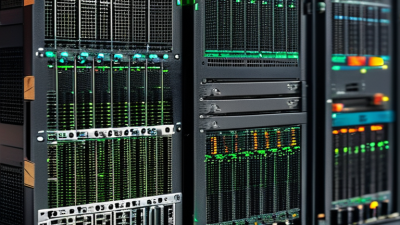
Define Network Requirements Before Selecting a QFX Switch

How to Choose Juniper QFX Switches in 2026?

Define Network Requirements Before Selecting a QFX Switch

Choosing a QFX switch should begin with network evidence, not a preferred model. Record port counts, cable types, link speeds, rack space, and expected traffic growth. A small data center may need high-density 10GbE ports, while a storage network could require more 25GbE or 100GbE uplinks. Check latency targets too. They affect hardware and design choices.

I once saw a deployment planned around current port usage alone. Six months later, new servers consumed nearly every available connection. That mistake created extra cabling, downtime, and budget pressure. Forecast three to five years of growth, then leave practical expansion capacity. Do not guess.

Tips: Build a simple traffic map before comparing specifications. Mark server racks, uplink paths, redundant links, and critical applications. Confirm optics compatibility, power limits, cooling airflow, and operating temperature. A switch can meet performance targets but still fail inside a crowded rack. Measure twice.

Also define operational needs before selecting a QFX switch. Consider automation, telemetry, access controls, maintenance windows, and staff expertise. Ask how quickly the team can replace a failed unit and restore configuration. Reliable design includes daily management, not only impressive throughput. Some teams overestimate future traffic and buy unnecessary capacity. That deserves review. Conservative assumptions can be safer, but excessive caution may waste capital and rack space.

Match QFX Models to Data Center Deployment Scenarios

Choosing QFX switches in 2026 starts with the deployment, not the product sheet. A small edge cluster may need compact 1/10/25GbE ports, quiet airflow, and simple management. A large leaf-spine fabric usually demands 100GbE or 400GbE uplinks, dense front-panel ports, and support for EVPN-VXLAN. Count real server connections, not projected ones.

For virtualization-heavy environments, select a model with enough buffers for bursty east-west traffic. Measure traffic during backup windows, live migrations, and container scheduling. If storage traffic shares the fabric, prioritize predictable latency and lossless Ethernet features. Hardware telemetry also matters. It can reveal rising optics errors before users notice slower applications.

Colocation deployments require a different balance. Check power draw, rack depth, airflow direction, and replaceable components. A high-speed model can be wasteful when only eight ports are active. Conversely, choosing a low-density switch may create extra tiers later. I have seen teams underestimate cable management, especially with breakout connections. That mistake is expensive.

For campus-connected data centers, compare routing scale, access-control needs, and operational skill levels. Automation support can reduce repetitive changes, but only when templates are tested carefully. Do not assume every advertised port speed fits every optic or cable. Validate compatibility, licensing, cooling, and upgrade paths in a small lab. The lab may expose an inconvenient truth: the technically fastest model is not always the easiest one to operate.

How to Choose Juniper QFX Switches in 2026? - Match QFX Models to Data Center Deployment Scenarios

QFX Model Primary Deployment Scenario Typical Role Front-Panel Port Profile Best-Fit Network Scale Key Strength Selection Notes
QFX5120-48Y Leaf-and-spine fabrics for enterprise data centers and private clouds High-density leaf, aggregation, or compact spine 48 × 1/10/25GbE SFP28 ports plus 8 × 40/100GbE QSFP28 ports Small to large two-tier fabrics requiring flexible server connectivity Flexible 10/25GbE access A strong general-purpose option when servers use mixed 10GbE and 25GbE connections.
QFX5120-48T Existing copper-based server rows and gradual 100GbE uplink migration Copper leaf or top-of-rack switch 48 × 10GBASE-T ports plus 6 × 40/100GbE QSFP28 uplink ports Small and medium facilities with existing twisted-pair cabling Copper compatibility Choose this design when replacing copper access switches is more practical than recabling the rack with fiber.
QFX5220-32CD High-bandwidth spine, storage fabric, and east-west traffic aggregation Spine, super-spine, or high-capacity aggregation 32 × 40/100GbE QSFP28 ports Medium to large fabrics with predominantly 100GbE connectivity High-density 100GbE Use it where the design prioritizes high port density and predictable east-west throughput over server-facing copper access.
QFX5220-128C Large-scale spine and super-spine fabrics with extensive 100GbE server or leaf links High-radix spine or fabric core 128 × 40/100GbE QSFP28 ports Large cloud, colocation, and hyperscale-style deployments Very high port scale Select this platform when reducing spine count and maximizing fabric radix are more important than low port count.
QFX5130-32CD AI, machine-learning, analytics, and other east-west intensive clusters High-performance leaf, spine, or GPU-cluster switch 32 × 40/100GbE QSFP28 ports with high-speed breakout flexibility Specialized clusters requiring dense, low-latency interconnects Low-latency fabric focus Validate optics, breakout cabling, buffer requirements, and congestion-control behavior against the workload before purchase.
QFX5700 Next-generation 400GbE spine, data-center interconnect, and very large cloud fabrics 400GbE spine or high-capacity interconnect 400GbE-class QSFP-DD ports, with supported breakout options depending on configuration Large-scale facilities planning migration beyond 100GbE 400GbE readiness Confirm optics availability, power budgets, rack cooling, and software support before standardizing on 400GbE.
QFX5110-48S Compact data centers, management networks, and smaller leaf deployments 10GbE leaf, aggregation, or service-edge switch 48 × 1/10GbE SFP+ ports plus 4 × 40GbE QSFP+ uplink ports Small facilities and low-to-medium-density server rows Compact 10GbE access A practical fit when 10GbE remains sufficient and the network does not yet require extensive 25GbE or 100GbE access.
Planning checklist: Compare required port speed, breakout support, oversubscription ratio, buffer behavior, airflow direction, power availability, rack depth, optics compatibility, automation requirements, and expected growth over the next three to five years. Product specifications and supported features should be confirmed against the current release documentation before ordering.

Evaluate Port Density, Speed, Automation, and Scalability

Port density is the first physical constraint when selecting data-center switches. A 48-port 25GbE model may suit today’s racks, but it can limit future server expansion. Measure real traffic, not only port counts.

Include uplinks, optics, breakout cables, and power requirements in the design. IDC’s 2024 Ethernet Switch Tracker separates deployments by 1, 10, 25, 100, 200, and 400GbE speeds. That structure supports a practical speed comparison.

Higher bandwidth is useful only when servers, storage, and transceivers can use it.

Automation should reduce repeated command-line work. Look for open APIs, streaming telemetry, configuration validation, and zero-touch provisioning.

DORA’s 2023 research connects strong delivery performance with reliable automation and platform practices. The lesson is clear: automate routine changes, but retain approval controls.

That gap matters. A script that deploys quickly can also spread a bad configuration quickly.

Scalability requires more than stacking switches. Check fabric capacity, equal-cost multipath behavior, upgrade procedures, and failure recovery.

Synergy Research Group reported 22% year-over-year growth in cloud infrastructure services during Q4 2024. That growth increases pressure on east-west traffic and predictable latency.

Uptime Institute’s 2024 Global Data Center Survey found that 53% of respondents experienced an outage during the previous three years. Design for maintenance and failure, not perfect uptime.

I would also test automation during a partial outage, because laboratory success can hide operational friction.

Compare Costs, Operations, and Long-Term Upgrade Options

In 2026, choosing a data-center switch requires more than comparing purchase prices. Build a three-year cost model covering optics, licenses, rack power, support, and technician time. A lower quote can hide expensive transceivers or restricted software features. Ask vendors for itemized pricing and written renewal terms. I also measure port density against actual rack growth, not optimistic forecasts. That discipline prevents paying for unused capacity.

Operations deserve equal weight. Check configuration tools, telemetry, automation interfaces, and replacement procedures before approval. During a maintenance test, record how long one engineer needs to upgrade firmware and restore a failed unit. Review alert quality, rollback options, and compatibility with existing monitoring systems. A switch that saves thirty minutes per incident may repay its premium within months. Do not trust a polished dashboard alone. Test it with packet loss, link flaps, and a full configuration restore.

Long-term flexibility depends on open standards, usable APIs, and practical upgrade paths. Confirm whether higher-speed modules require new line cards, licenses, or cooling changes. Ask for published hardware lifecycles and security-support dates. Independent lab tests and customer references can challenge optimistic claims. My own reviews have exposed weak assumptions, especially around growth and power budgets. That is uncomfortable, but valuable. Leave spare rack space, power headroom, and budget for unexpected optics demand. Otherwise, a technically strong choice may become an operational constraint.

How to Choose Data Center Switches in 2026?

Compare acquisition cost, annual operational effort, and expected upgrade intervals across common network design approaches.

The five-year total cost of ownership includes hardware, support, energy, and planned maintenance. Lower annual support hours indicate simpler operations, while a longer upgrade interval generally provides more flexibility for future capacity growth.