What Is a Juniper MX Series Router?
Juniper MX Series Routers are carrier-grade platforms designed to move traffic between networks and manage demanding routing workloads. Service providers, cloud operators, and large organizations use them where reliable connectivity and flexible network control matter. The MX name covers multiple models, so capacity, interface options, and deployment needs should be checked against the specific system. One model does not fit every network.
At a practical level, an MX router receives packets, examines routing information, and forwards traffic toward its destination. Operators can use Juniper’s Junos operating system to configure routing policies, interfaces, and network services. Those capabilities can support tasks such as connecting data centers, aggregating access networks, or handling internet traffic. The exact role depends on the hardware, software version, and network design. Details matter.
This guide explains what an MX router is, how its main components fit together, and where it may be used. It also considers features, scalability, and factors to weigh before deployment. Specifications alone do not settle the question. Power, cooling, port requirements, support arrangements, and operational expertise can shape the real cost and suitability. A careful comparison should start with the traffic the network must carry today, then account for expected growth. Even that forecast can be wrong; traffic patterns change, and planning deserves regular review. The aim is a clear, grounded overview—not the claim that one platform is automatically right for every environment.
What Defines a Juniper MX Series Router
A high-capacity modular edge router is defined by how it moves traffic, adapts to changing demands, and stays available under pressure. Its forwarding hardware handles packets at scale, while routing software selects paths using protocols such as BGP and OSPF. These roles work together, but they are not the same: a routing decision can be correct even when a congested interface slows delivery.
Modularity is a key trait. Line cards and interface options let operators match a chassis to specific needs, from dense Ethernet connections to links between network sites. Redundant power supplies and control components can reduce the impact of certain failures. They do not make outages impossible. A careful design still depends on tested configurations, sensible capacity planning, and clear maintenance procedures.
The practical difference appears during busy periods. A network team might track route changes, interface errors, and traffic levels while adding capacity before links become saturated. Small details matter. A router’s exact port options, throughput, and supported features vary by model and software release, so published specifications should be checked before deployment. Modularity can also bring higher costs and more planning; it is useful, but not automatically the right fit.
How an MX Router Processes and Forwards Network Traffic
An MX-series router is a high-capacity platform that moves traffic between networks. Its forwarding process begins when a packet arrives on an interface. The router reads key fields, including source and destination addresses, protocol, and service markings. It does this quickly.
A forwarding table, often called the FIB, points the packet toward a next hop. The control plane builds this table from configured routes and routing information. The forwarding plane uses it to make per-packet decisions. Policies can permit or reject traffic, while quality-of-service rules assign packets to queues. For example, voice traffic may enter a low-delay queue, while a large file transfer waits in another. These choices depend on configuration; the router does not infer what matters to an organization.
The packet then crosses the internal switching fabric and leaves through an egress interface. There, the router applies relevant output rules and schedules transmission. Congestion can still cause delay or loss, especially when traffic exceeds a link’s capacity. A fast lookup cannot remove that limit.
The explanation is simplified: hardware designs and configurations vary, and small policy changes can alter packet treatment. Network operators should verify forwarding behavior with counters, route checks, and controlled traffic tests.
Core Hardware and Software Components
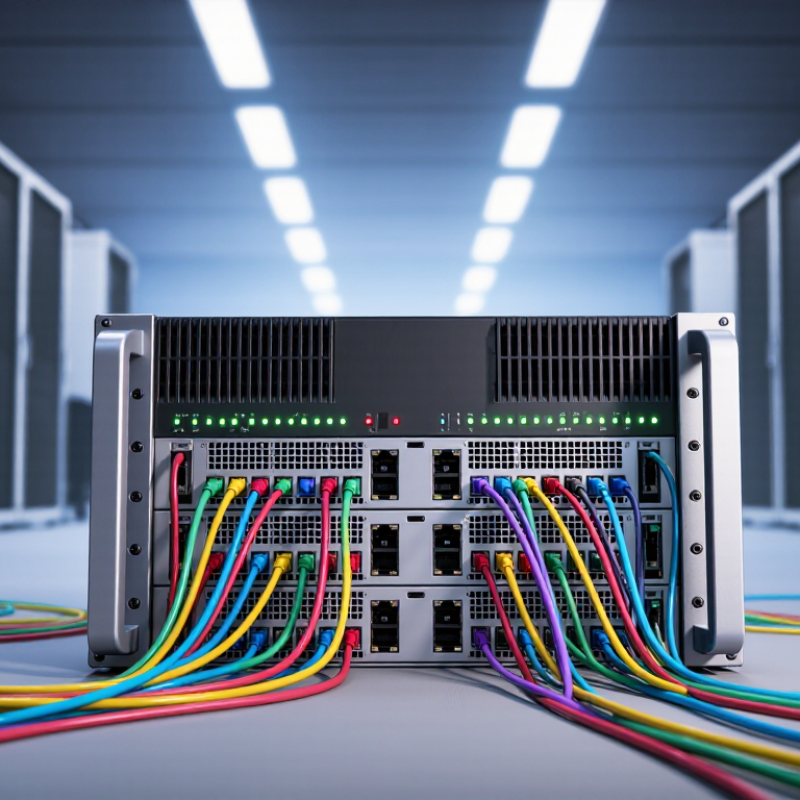
An MX-series router combines a physical chassis with specialized modules that move traffic at high speed. The chassis holds routing engines, line cards, a switching fabric, power supplies, and cooling fans. Each part has a distinct job. Routing engines maintain control information, while forwarding hardware processes packets across the installed interfaces. The switching fabric carries traffic between cards inside the chassis. Under sustained load, airflow and power capacity matter as much as port speed. Small details matter.
The operating system coordinates these components and provides tools for configuration, monitoring, and fault diagnosis. It can run routing protocols, apply traffic policies, and report interface errors or resource use. Operators can compare software logs with physical indicators, such as a warning light or a hot exhaust stream. That check is useful, but not conclusive. A data sheet cannot show every operational trade-off, and adding cards may affect power, cooling, and maintenance needs. Careful planning helps, though real traffic patterns can still surprise a team.
What Is a Juniper MX Series Router? — Core Hardware and Software Components
A router combines network interfaces, forwarding hardware, packet memory, and a switching fabric with control-plane software that manages routes and configuration. This chart shows standardized Ethernet link rates commonly used in modern networks; it does not indicate the capabilities of any particular router.
How MX Series Models Differ in Capacity and Features
An MX-series router is a modular platform for connecting networks and directing traffic. Models differ in chassis size, forwarding capacity, port density, and redundancy options. A compact chassis may suit an enterprise edge, while a larger system can support many high-speed links at a provider’s network core. The 2024 Global Internet Geography report estimated that international bandwidth capacity reached 1,217 Tbps in 2023, growing 29% year over year. That growth helps explain why upgrade headroom matters. But a maximum capacity figure is not a real-world guarantee.
Compare the number and speed of supported interfaces, then check how much traffic the system can forward with security and routing features enabled. A line card’s port count may look impressive, yet actual throughput depends on the chassis, installed hardware, and traffic mix. Small details matter. Redundant power supplies and control components can reduce outage risk; they do not replace sound network design. A spec sheet can mislead. I would verify both the required features and the expected busy-hour load, rather than choosing by headline capacity alone. Planning estimates are imperfect, and future traffic is difficult to predict. That uncertainty deserves attention.
What Is a Juniper MX Series Router? - How MX Series Models Differ in Capacity and Features
Note: Published capacity figures and interface availability can vary by hardware revision, installed components, software release, and operating mode. Confirm the platform documentation for the exact deployment configuration.
Common Roles of MX Routers in Network Infrastructure
A modular service-provider router sits where large networks meet, but its job is not limited to forwarding packets. It can connect an internet provider’s backbone to regional networks, enterprise sites, or data centers. At a busy edge, multiple high-speed links carry traffic from different directions. That matters. The router applies routing policies and moves traffic toward the next suitable destination.
A common role is network aggregation. Many smaller access connections can feed into a higher-capacity backbone link, reducing operational complexity at central sites. These routers may also support peering, where separate networks exchange traffic, and private virtual networks that keep customer traffic logically separated. Some deployments use them for broadband subscriber services or to manage quality of service. Voice, video, and ordinary web traffic may need different treatment during congestion.
Small details count.
Capacity alone does not make a deployment successful. Engineers must plan interface types, route scale, redundancy, power, cooling, and software maintenance. A second router or alternate path can keep a single hardware fault from disconnecting a site, though failover still needs testing. It is tempting to assume that a large platform solves every edge problem. It does not. The right configuration depends on traffic patterns, growth forecasts, and the skills available to operate it. Even good designs deserve regular review.