What Are Juniper Switches and How Do They Work?
Juniper Switches connect devices, move data, and help networks remain organized under pressure. They appear in offices, campuses, cloud environments, and large data centers. A switch may look like a metal box filled with ports, yet its decisions happen in milliseconds. This article explains what these devices are and why network teams choose them.
At the hardware level, a Juniper switch receives Ethernet frames through physical ports. It examines source and destination addresses, then forwards traffic through the correct path. VLANs can separate departments, devices, or services without requiring separate physical networks. Many models also support Power over Ethernet, allowing one cable to carry both data and electrical power. That detail matters when deploying access points, phones, or security cameras.
The operating system adds another layer of control. Junos OS provides configuration tools, routing features, security options, automation support, and monitoring capabilities. EX Series switches often serve enterprise access and aggregation needs, while QFX Series platforms target demanding data center environments. Still, product names alone do not reveal the best choice. Port speed, uplink capacity, redundancy, licensing, and management skills all influence the result. The picture is not always neat. A technically powerful switch can become difficult to manage when its design exceeds the team’s experience. Understanding how Juniper Switches forward traffic makes those trade-offs easier to evaluate.
Juniper Switches: Definition, Purpose, and Core Components
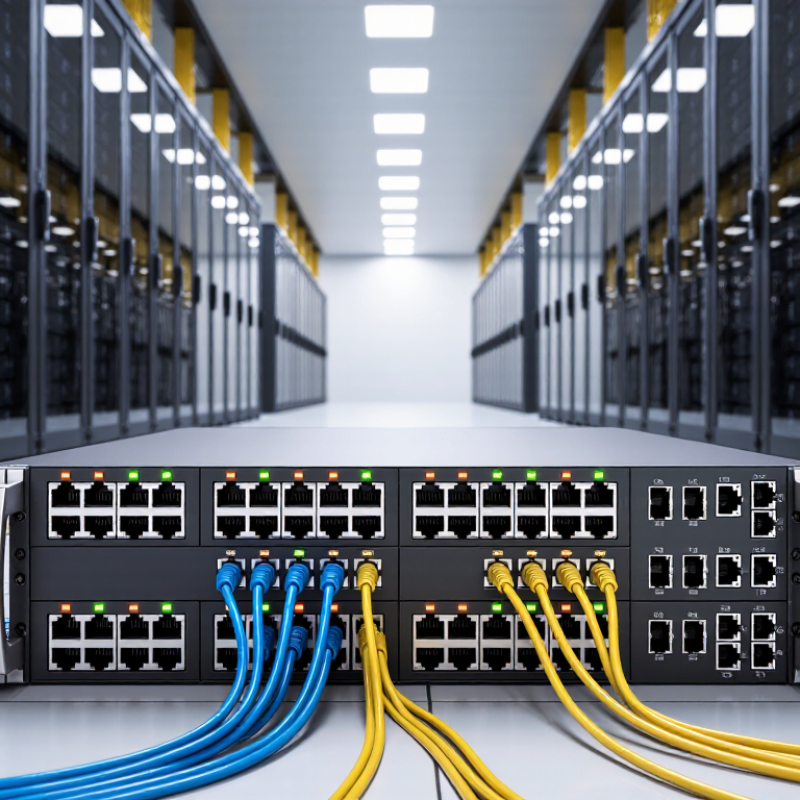
A network switch is a device that connects computers, servers, cameras, and access points within a local network. It receives data frames, reads their destination addresses, and forwards traffic through the correct port. This focused delivery reduces unnecessary traffic. In practical deployments, switches support offices, campuses, data centers, and industrial spaces. Their purpose is simple: provide reliable connectivity while controlling how devices communicate.
Core components include Ethernet ports, a switching fabric, memory, and a management processor. The processor handles configuration and monitoring. Memory stores forwarding information and temporary traffic queues. The switching fabric moves data between ports at high speed. Many models also support VLANs, link aggregation, quality-of-service rules, and Power over Ethernet. These features separate departments, prioritize voice traffic, and power compatible devices through network cables. However, performance depends on correct design, not only hardware speed.
Tips: Document each port before installation. Label cables clearly. Keep unused ports disabled when appropriate. Check power budgets before connecting many powered devices. Watch interface errors and packet loss during busy periods. A small mistake in VLAN settings can isolate an entire department. That risk is easy to underestimate. In my experience, regular firmware reviews and configuration backups prevent more trouble than emergency troubleshooting. Still, every environment differs, so test changes during a controlled maintenance window.
Key Switching Technologies and Operating Features
An enterprise switch connects devices and forwards traffic across a local network. Modern platforms use application-specific integrated circuits to inspect frames at wire speed. Layer 2 switching reads MAC addresses and moves Ethernet frames between ports. Layer 3 switching adds routing between IP networks. VLAN tagging, defined by IEEE 802.1Q, separates departments without separate cabling.
Key features include link aggregation, rapid failover, quality-of-service queues, and power over Ethernet. Higher-speed uplinks, often 25 or 100 gigabits per second, support servers and storage clusters. EVPN-VXLAN can extend segmentation across larger data-center fabrics. Streaming telemetry exposes latency, errors, and congestion before users report problems. According to the Uptime Institute’s 2024 Global Data Center Survey, 54% of respondents experienced an outage during the previous three years. That figure makes redundancy more than a specification. In practice, the neat network diagram often breaks. A poorly documented uplink can still become the weakest point.
Tips: Begin with traffic mapping, not port-count estimates. Reserve uplink capacity for growth. Test failover under realistic load. Check logs after every change. Automation helps, but blind automation can spread a bad configuration quickly. I have seen simple labeling prevent hours of troubleshooting. Small details matter.
What Are Ethernet Switches and How Do They Work?
Ethernet switches connect devices within a local network and forward frames by using destination MAC addresses. Their forwarding performance depends on link speed, packet size, buffering, VLAN processing, and the efficiency of the switching fabric.
The chart shows the theoretical maximum packet-forwarding rate for common Ethernet link speeds. Values are based on minimum-sized 64-byte Ethernet frames plus the standard 20-byte interpacket gap, assuming line-rate transmission. Real switch performance can vary with traffic patterns, packet sizes, features, and hardware architecture.
Juniper Switch Families and Their Typical Applications
Switch families are easier to understand when matched with real network roles. Fixed-configuration access switches connect office computers, phones, cameras, and wireless access points. They usually sit in wiring closets, where quiet operation and simple management matter. Higher-performance models may add Power over Ethernet, faster uplinks, and stronger security controls.
Modular chassis switches serve aggregation and core layers. Their replaceable line cards support large campuses, hospitals, and service-provider sites. Data-center switches often use compact designs for leaf-and-spine networks. Each leaf connects servers, while spine switches provide predictable paths between racks. In daily operation, a switch learns device addresses, checks incoming frames, and forwards traffic through the correct port. This process happens quickly, but configuration errors can still cause loops or outages. Real testing matters.
Tips: Choose access switches by port count, PoE budget, uplink speed, and available rack space. Select modular systems when growth, redundancy, and maintenance flexibility justify their cost. For data centers, compare latency, buffer capacity, automation support, and visibility tools. Do not size hardware from current traffic alone. Leave room for cameras, collaboration tools, and future wireless demand. A practical pilot can reveal heat, cable, and software issues that product sheets miss. Perfect planning is rare. Review the design after deployment.
Managing, Securing, and Troubleshooting Juniper Switches
Managing an enterprise switch starts with a clear inventory. Record each port, connected device, VLAN, and uplink. Label cables at both ends. This simple habit reduces mistakes during maintenance. Administrators should use encrypted management access and individual accounts. Central authentication can limit privileges by role. Disable unused ports, restrict management networks, and review configuration changes regularly. Keep backups offline and test restoration, not just backup creation.
Securing the switch also requires careful monitoring. Check login records, configuration differences, interface errors, and unusual broadcast activity. Network segmentation can prevent a compromised camera or workstation from reaching sensitive servers. Apply updates through a planned maintenance window. Test them in a spare environment when possible. Small details matter.
Troubleshooting should follow evidence, not guesswork. Start with power, link lights, cable condition, and interface status. Then check VLAN membership, trunk settings, address learning, and routing paths. Packet captures can reveal loops, failed negotiations, or unexpected retransmissions. I have learned that a recently changed cable can explain an hour of complex testing. Yet checklists can still miss human error. A port may be configured correctly but connected to the wrong wall outlet. Document each test, its result, and the next decision.