
Leave Your Message

2026 Top Juniper Transceiver Types for Global Buyers

Global networks are moving more data through denser, faster links. Synergy Research Group reported that the number of hyperscale data centers exceeded 1,000 worldwide in 2024. That expansion raises practical questions about port speed, reach, power, and compatibility. Small details matter.

For buyers, a Juniper Transceiver is not just a speed label. Form factor, wavelength, fiber type, transmission distance, and supported platform all affect whether a link works as intended. Common choices include SFP and SFP+ for lower-rate connections, SFP28 for 25GbE, and QSFP28 or QSFP-DD for higher-capacity links. Check the exact Juniper device and software documentation before ordering. Similar-looking modules are not always interchangeable.

Industry roadmaps from the Ethernet Alliance track the development of Ethernet speeds and physical interfaces, while IEEE 802.3 standards define the underlying Ethernet specifications. These sources help buyers compare generations, but they do not replace model-specific compatibility checks. A 100-meter multimode link between nearby racks has different needs from a long-reach single-mode connection across a campus. Heat, cable routing, and spare inventory deserve attention too. They are easy to overlook.

This guide compares major Juniper transceiver types for global buyers, with attention to performance, deployment fit, and sourcing checks. The right choice depends on the actual network—not the newest number on a product page. And specifications can be confusing. Verify them twice.
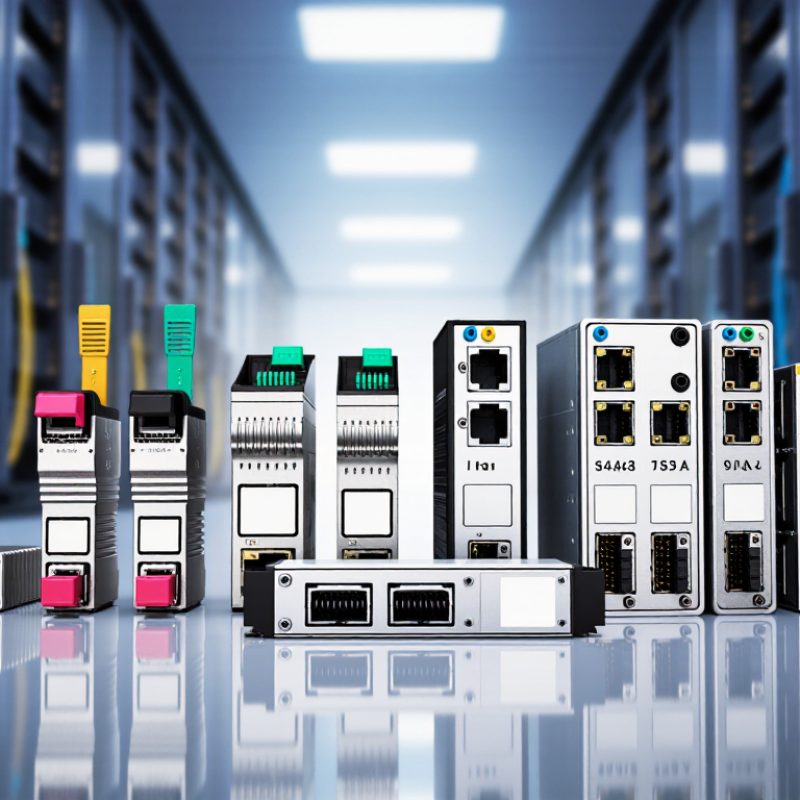
2026 Top Juniper Transceiver Types for Global Buyers

Juniper Transceivers: Core Functions and Key Specifications

A transceiver converts electrical signals from network equipment into optical signals, then converts incoming light back into electrical data. It is a small module, but its specifications shape link performance. Data rate must match the port and the intended workload. Wavelength matters too, especially when several links share fiber. Check reach against the actual cable route, not just the distance shown on a floor plan. A few extra meters can change the choice.

Fiber type and connector style also need to match the installed cabling. Single-mode fiber typically serves longer links, while multimode fiber is common for shorter runs. Confirm the connector, such as LC, and verify the required optical budget. Too little signal power can cause errors; excessive power may also be unsuitable. Heat matters. Review operating temperature and power consumption when modules sit in dense switches. Digital monitoring can report temperature, voltage, and optical levels, helping technicians spot a weak link before it fails. Still, readings are not a substitute for testing the complete path.

Compatibility deserves careful attention. Check the equipment’s supported module specifications, speed, and software requirements before ordering. Labels can look nearly identical, yet the operating range may differ. I would recheck the fiber type twice; it is an easy detail to miss. Record the selected wavelength and reach beside each port, then verify them during installation. That small habit saves troubleshooting time later.

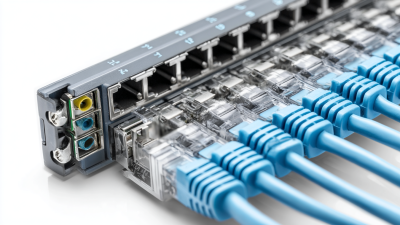
Common Juniper Transceiver Types by Form Factor and Data Rate

Transceiver form factor is a quick guide to port capacity, but it does not tell the whole story. SFP modules commonly serve 1 GbE links, while SFP+ supports 10 GbE and SFP28 supports 25 GbE. These compact modules suit access switches and short connections between nearby racks. Check the label. A matching data rate alone does not guarantee that a module will work in a specific port.

For higher capacity, QSFP+ commonly carries 40 GbE, and QSFP28 is widely used for 100 GbE. QSFP56 can support 200 GbE, while QSFP-DD is designed for 400 GbE applications. These formats can connect servers, switches, or data-center spine links, depending on the equipment and network design. The connector and fiber type matter, too: a short-reach multimode optic and a long-reach single-mode optic solve different problems.

In real deployments, buyers should verify the host port’s supported form factors, optical wavelength, fiber specification, reach, and required FEC. A 100G optic may use different lane arrangements or reach specifications, so the number on the package is only a starting point. Small details matter. I have seen planning focus on speed while overlooking fiber already installed in the rack. That can mean extra cost, or a link that never comes up. Compatibility documents are useful, though they can be easy to misread. Check the exact equipment model before ordering.

Optical Reach, Wavelength, and Fiber Compatibility

Choosing an optical transceiver starts with the actual route, not just the headline data rate. The Ethernet Alliance’s 2024 Ethernet Roadmap lists 400GBASE-SR8 reach up to 100 meters over OM4 multimode fiber, while 400GBASE-DR4 reaches 500 meters over single-mode fiber. That difference can decide whether an existing rack-to-rack path remains usable or needs OS2 fiber. Measure the full route, including patch panels and service loops. Close enough? Not always.

Wavelength and fiber type must also match. Short-reach multimode optics commonly operate at 850 nm; single-mode DR and FR optics commonly use the 1310 nm band. IEEE 802.3 defines link types and reach limits, but matching the label alone does not ensure a working connection. Check fiber grade, connector type, polarity, and host-platform support. An OM4 patch lead cannot replace an OS2 path simply because the connectors fit. For longer links, verify optical loss with a power meter against the transceiver’s stated budget.

One practical caveat: site labels can be outdated, so verify the installed fiber before ordering.

How to Match Transceivers with Juniper Devices and Network Needs

Choosing a transceiver starts with the device, not the fiber. Check the exact router or switch model, port type, and supported speed before ordering. A 10G SFP+ module will not meet a 25G SFP28 requirement, even if both connectors look similar. Then match the optical standard to the cable: multimode fiber suits shorter links, while single-mode fiber supports longer reaches. Wavelength and distance ratings must also align at both ends. Small details matter.

Tips: Confirm supported part numbers in the device documentation, and check coding requirements, firmware, and digital diagnostics support. For a 100G link, verify whether the port needs a QSFP28 module or a breakout cable. Test one unit in the intended port before a large purchase. Test before rollout.

Network conditions shape the final choice. Measure the actual cable path, including patch panels, and allow for connector and splice losses. A module rated for a long reach may cost more than needed on a short rack connection. Conversely, choosing by price alone can create link instability or limit future upgrades. Keep a record of port speed, fiber type, wavelength, and reach for each link. Compatibility tables are useful, but they can change with hardware revisions, so verify the current documentation. Even careful planning misses things sometimes. A live test can reveal issues a product sheet cannot.

2026 Top Juniper Transceiver Types for Global Buyers - How to Match Transceivers with Juniper Devices and Network Needs
Data Rate Optical Type Wavelength Fiber and Connector Typical Maximum Reach Common Use Device-Matching Check
1 Gb/s 1000BASE-SX 850 nm Multimode fiber; duplex LC Up to 550 m on compatible OM2–OM4 fiber Short in-building links between access switches and nearby aggregation equipment Confirm the port supports 1 Gb/s SFP optics, SX operation, and multimode fiber.
1 Gb/s 1000BASE-LX 1310 nm Single-mode fiber; duplex LC Up to 10 km Campus links and longer connections between buildings Check for a 1 Gb/s SFP-capable port and verify the link partner uses a compatible LX optic.
10 Gb/s 10GBASE-SR 850 nm Multimode fiber; duplex LC Up to 300 m on OM3 or 400 m on OM4 Data-center connections over short multimode-fiber runs Verify the port supports 10 Gb/s SFP+ operation and that both ends use compatible multimode optics.
10 Gb/s 10GBASE-LR 1310 nm Single-mode fiber; duplex LC Up to 10 km Campus, metro-access, and longer single-mode links Confirm SFP+ support, single-mode fiber, and matching LR optics at both ends.
10 Gb/s 10GBASE-ER 1550 nm Single-mode fiber; duplex LC Up to 40 km Long-distance single-mode connections where the required reach exceeds LR limits Check platform support and optical power budget; attenuation or dispersion management may be needed.
25 Gb/s 25GBASE-SR 850 nm Multimode fiber; duplex LC Up to 70 m on OM3 or 100 m on OM4 Short-reach data-center server and switch links Confirm the port supports 25 Gb/s SFP28 and the installed fiber meets the required grade and distance.
25 Gb/s 25GBASE-LR 1310 nm Single-mode fiber; duplex LC Up to 10 km Longer 25 Gb/s links across campuses or between network rooms Verify SFP28 support, link-partner compatibility, and single-mode fiber plant.
40 Gb/s 40GBASE-SR4 850 nm Multimode fiber; MPO-12 Up to 100 m on OM4 Short-reach high-density data-center interconnects Check QSFP+ support, MPO polarity, fiber count, and whether the cabling is configured for parallel optics.
40 Gb/s 40GBASE-LR4 Four lanes in the 1310 nm band Single-mode fiber; duplex LC Up to 10 km 40 Gb/s links over existing duplex single-mode fiber Confirm QSFP+ support and a matching LR4 optic at the far end; this uses duplex fiber rather than MPO.
100 Gb/s 100GBASE-SR4 850 nm Multimode fiber; MPO-12 Up to 70 m on OM3 or 100 m on OM4 Short-reach data-center spine-and-leaf links Check QSFP28 support, MPO cabling and polarity, and the specified multimode-fiber reach.
100 Gb/s 100GBASE-LR4 Four lanes in the 1310 nm band Single-mode fiber; duplex LC Up to 10 km Longer 100 Gb/s campus and metro-access links Verify QSFP28 support, duplex single-mode cabling, and matching LR4 optics at both ends.
100 Gb/s 100GBASE-CWDM4 Four wavelengths in the 1271–1331 nm range Single-mode fiber; duplex LC Up to 2 km Data-center or campus links needing 100 Gb/s over duplex single-mode fiber Confirm the port supports the required 100 Gb/s form factor and CWDM4 mode; do not assume it is interchangeable with LR4.
100 Gb/s 100GBASE-DR 1310 nm Single-mode fiber; duplex LC Up to 500 m Short-reach 100 Gb/s single-mode links, especially within data centers Check the exact port and module specification; DR optics use a different optical interface from CWDM4 and LR4.
400 Gb/s 400GBASE-DR4 1310 nm Single-mode fiber; MPO-12 Up to 500 m High-capacity short-reach links in large data centers Verify QSFP-DD or OSFP port support, parallel single-mode cabling, MPO polarity, and module-specific requirements.
400 Gb/s 400GBASE-FR4 Four wavelengths in the 1271–1331 nm range Single-mode fiber; duplex LC Up to 2 km 400 Gb/s data-center links over duplex single-mode fiber Confirm the device supports the specific 400 Gb/s form factor and FR4 optical mode.
400 Gb/s 400GBASE-LR4 Four wavelengths in the 1271–1331 nm range Single-mode fiber; duplex LC Up to 10 km Longer 400 Gb/s single-mode links between sites or network facilities Check port compatibility, optical budget, and matching LR4 specifications at both ends.

Selection note: Reach values are typical standards-based maximums under specified fiber and cabling conditions. Before purchasing, verify the device port’s supported speed, form factor, optical standard, software requirements, and approved module list. The two ends of a link must use compatible optical modes, and the installed fiber must meet the relevant distance and connector requirements.

Global Sourcing, Compliance, and Lifecycle Considerations

Global buyers should match each optical module to the actual link, not just the port label. Short-reach multimode optics suit many in-building connections, while single-mode options support longer routes. BiDi modules can reduce fiber use, but require a compatible pair with carefully matched wavelengths. Check the switch model, speed, reach, fiber type, connector, and temperature rating before requesting quotes. A mismatch may look minor on paper and still leave a link dark.

Ask suppliers for clear compatibility records, test results, serial-level traceability, and country-of-origin details. Confirm which conformity documents apply in the destination market; requirements can vary by product and location. For a 1310 nm link, for example, verify the specified fiber and connector instead of relying on a broad “compatible” claim. Small details matter. I have seen sourcing sheets omit the required operating temperature, then create delays during deployment. A spreadsheet can miss the odd port.

Lifecycle planning deserves equal attention. Compare lead times, warranty terms, repair or replacement options, and announced end-of-sale dates. Keep a modest stock of proven spares for critical links, but avoid buying far beyond forecast needs. Retain purchase records and test a sample before wider rollout. Keep records. Even a well-documented plan needs review when network designs or local requirements change.