Leave Your Message

Top 10 Tips for Optimizing Your Network with Juniper Mx204

In today's fast-paced digital landscape, network performance and reliability are paramount for businesses of all sizes. The Juniper Mx204, with its advanced features and versatile capabilities, stands out as a compelling choice for organizations aiming to optimize their network infrastructure. As enterprises increasingly rely on high-speed data communications and cloud-based services, ensuring that the network is optimized for efficiency is no longer optional but essential.

This article outlines the top 10 tips for enhancing the performance of your network using the Juniper Mx204. By leveraging its robust architecture, advanced routing capabilities, and proven scalability, network administrators can significantly improve the management and performance of their network. From configuration best practices to monitoring techniques, these tips will equip you with the knowledge needed to make the most out of your Juniper Mx204 and ensure a seamless connectivity experience. Whether you are new to the device or looking to refine your existing setup, these strategies will provide a solid foundation for optimizing your networking operations.

Top 10 Tips for Optimizing Your Network with Juniper Mx204

Understanding the Juniper MX204 and Its Role in Network Optimization

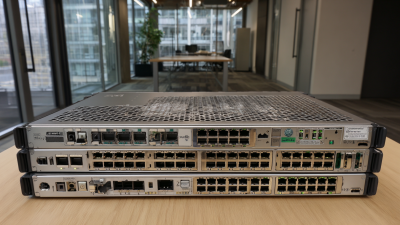
The Juniper MX204 is a vital component in modern network optimization, designed to meet the increasing demands for high-performance connectivity. Its compact yet powerful form factor allows it to efficiently manage vast amounts of data while maintaining low latency, making it an appealing choice for service providers and enterprises alike. The architecture of the MX204 supports advanced routing capabilities and seamless integration with various network services, ensuring that organizations can optimize their infrastructure without sacrificing performance.

With a range of features focused on resilience and scalability, the MX204 enhances operational efficiency by simplifying network management tasks. Its support for software-defined networking (SDN) fosters automation and reduces the complexity often associated with traditional network configurations. By leveraging these capabilities, organizations can adapt to changing traffic patterns in real-time, leading to improved resource utilization and greater overall network reliability. Understanding the role of the MX204 in optimizing network performance enables businesses to better prepare for future growth and technological advancements.

Top 10 Tips for Optimizing Your Network with Juniper MX204

Tip No. Optimization Tip Description Expected Outcome
1 Load Balancing Distribute network traffic across multiple routes. Improved performance and reduced latency.
2 Network Segmentation Divide networks into smaller, manageable sections. Enhanced security and better traffic management.
3 Quality of Service (QoS) Prioritize critical applications and traffic types. Consistent application performance.
4 Regular Firmware Updates Keep device firmware up-to-date. Improved security and performance enhancements.
5 Implement Redundancy Setup backup pathways for critical connections. Increased network reliability.
6 Monitor Network Performance Use monitoring tools for real-time insights. Identify and resolve issues proactively.
7 Optimize Network Architecture Align network design with business needs. Improved scalability and efficiency.
8 Utilize Automation Tools Automate repetitive networking tasks. Increased operational efficiency.
9 Conduct Regular Audits Review network configurations and performance. Identify areas for improvement.
10 Enhance Security Measures Implement firewalls and intrusion detection. Protection against threats and vulnerabilities.

Essential Configuration Settings for Enhancing Performance on MX204

Configuring the MX204 for optimal performance involves several critical settings that can significantly enhance network efficiency. One essential configuration is the implementation of Quality of Service (QoS) policies to prioritize network traffic effectively. According to a report by the Telecommunications Industry Association, networks that utilize QoS can see performance improvements of up to 40% during peak usage times. By tailoring QoS settings to match application needs, network managers can ensure that critical applications receive the necessary bandwidth while limiting the bandwidth for less important traffic.

Another important aspect of the MX204 configuration is the optimization of routing protocols. Employing dynamic routing protocols, such as OSPF or BGP, alongside proper loop prevention mechanisms can lead to a smoother routing process and decreased latency. The International Telecommunication Union indicated that networks utilizing advanced routing configurations can achieve a 25% reduction in convergence time compared to traditional static routing methods. Additionally, adjusting parameters such as Maximum Transmission Units (MTU) and enabling link aggregation can enhance throughput and provide redundancy, ultimately leading to a more resilient network architecture.

Best Practices for Monitoring and Troubleshooting with MX204

Top 10 Tips for Optimizing Your Network with Juniper Mx204

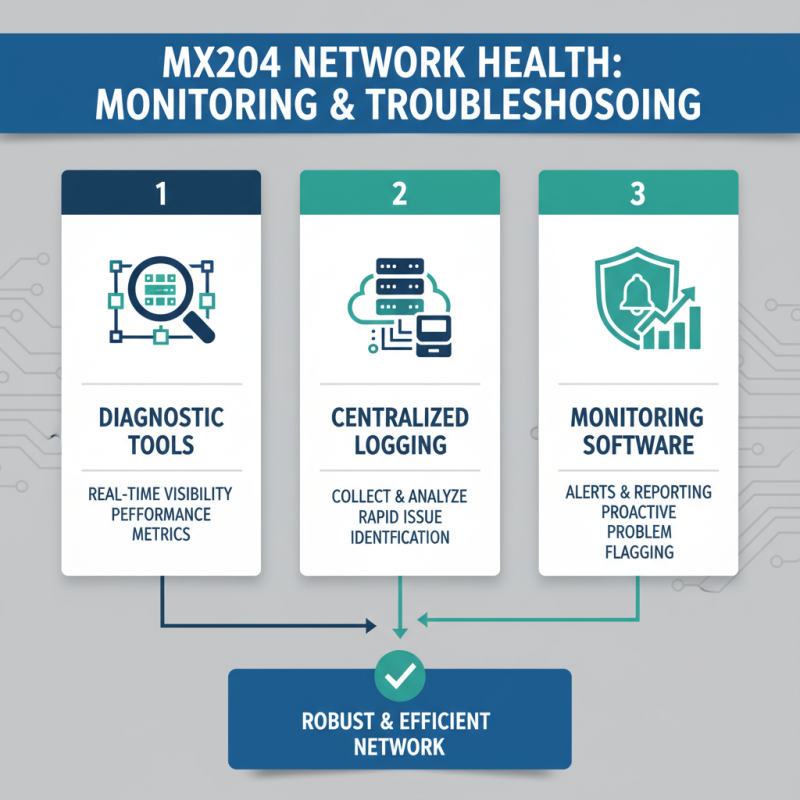
Effective monitoring and troubleshooting are essential for maintaining a robust and efficient network with the MX204. One best practice is to utilize built-in diagnostic tools that allow for real-time visibility into network performance. Implementing a centralized logging system can help collect and analyze logs from various network devices, enabling quicker identification of issues. Leverage network monitoring software that provides alerts and comprehensive reporting features, ensuring that potential problems are flagged before they impact network operations.

Additionally, establishing a proactive maintenance routine is crucial. Regularly reviewing configurations and performance metrics can uncover anomalies early on. Utilize performance baselines to understand typical network behavior, allowing for easier detection of deviations. Collaboration between network teams for knowledge sharing can also enhance troubleshooting efforts. Documenting procedures and potential solutions establishes a valuable knowledge base, ultimately speeding up response times during incidents. By prioritizing these strategies, organizations can effectively manage their network and minimize downtime.

Integrating MX204 with Existing Network Infrastructure Effectively

Top 10 Tips for Optimizing Your Network with Juniper Mx204

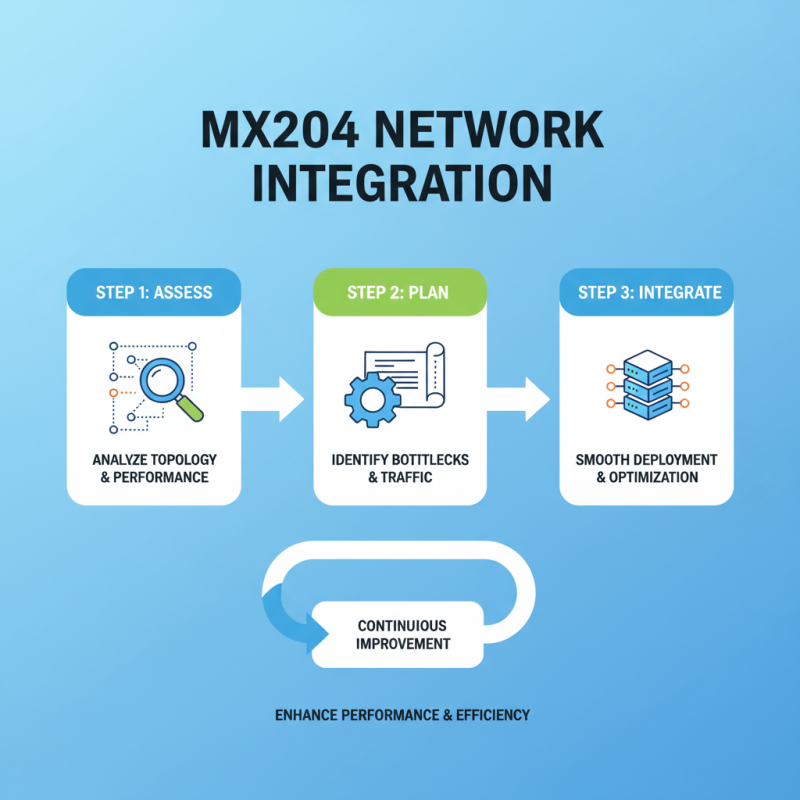
Integrating new hardware into an existing network can be a daunting task, but with the right approach, it can enhance performance and efficiency significantly. When incorporating the MX204 into your current infrastructure, the first step is to conduct a thorough assessment of your existing network topology and performance metrics. Understanding bottlenecks and traffic patterns will help you leverage the strengths of the new device while ensuring a smooth integration without disrupting ongoing operations.

Next, it is crucial to develop a detailed integration plan that outlines how the MX204 will interact with your current systems. This may involve updating routing protocols, configuring interfaces, and adjusting security policies to accommodate the new device. Effective communication between existing equipment and the MX204 is essential; consider utilizing a phased rollout strategy, allowing for real-time monitoring and adjustments. Testing under load conditions can reveal potential issues early in the integration process and help fine-tune configurations for optimal performance.

Lastly, ensure that all network documentation is updated to reflect the changes. Clear documentation aids in troubleshooting and future upgrades, creating a robust foundation for ongoing network management. By focusing on thoughtful integration, you can maximize the benefits of the MX204, leading to a network that is both resilient and capable of meeting future demands.

Future-Proofing Your Network: Scalability Options with Juniper MX204

As organizations increasingly rely on digital solutions to drive their operations, the need for scalable network infrastructure has never been more critical. The Juniper MX204 platform offers a robust solution that provides flexibility and adaptability as businesses grow. With network traffic projected to increase exponentially—estimates suggest global IP traffic will reach 4.8 zettabytes per year by 2022, according to Cisco's Visual Networking Index—having a scalable architecture is essential. The MX204 allows organizations to seamlessly integrate additional resources, ensuring they can handle surges in demand without compromising performance.

Moreover, the MX204’s modular design supports future-proofing strategies, accommodating emerging technologies such as 5G and IoT. The impact of these technologies is significant; Gartner reports that by 2025, there will be over 25 billion connected devices globally. To manage this influx, the MX204 provides a scalable capacity of up to 8 Tbps, enabling organizations to expand their network capabilities without the need for complete overhauls. This level of investment in scalability not only enhances operational efficiency but also ensures a competitive edge in the ever-evolving digital landscape.