Leave Your Message

How to Choose Juniper QFX Series Network Switches

Choosing a Juniper Qfx Series Network switch is not a simple port-count exercise. It is a decision about workload, growth, cooling, and operational confidence.

In real data center projects, rack space can be tighter than expected. A switch may fit physically, yet its airflow direction may conflict with the cabinet layout. Port speeds also matter. A small virtualization cluster might need 10GbE or 25GbE access, while spine links may require 100GbE or higher. EVPN-VXLAN support, automation tools, telemetry, and redundant power supplies deserve equal attention. These details often determine whether a network remains manageable after deployment.

Mike Bushong, a recognized Juniper networking leader, has expressed a practical principle: “Choose for the workload, not the logo.” That idea remains useful when comparing QFX models. Buyers should examine forwarding capacity, buffer behavior, latency, licensing, and software support rather than relying on product reputation alone. They should also request realistic test results from a qualified partner. Marketing numbers can look impressive.

The right Juniper Qfx Series Network solution should match current traffic and a credible growth plan. Avoid buying maximum capacity without a measured need. That mistake is expensive. Still, forecasting is imperfect, and traffic patterns can change quickly. A careful evaluation should therefore include spare ports, upgrade paths, maintenance access, and documented failure procedures. This guide explains how to compare QFX switches with evidence, practical judgment, and room for reconsideration.
How to Choose Juniper QFX Series Network Switches

Define Network Goals and QFX Series Requirements

How to Choose Juniper QFX Series Network Switches

Define Network Goals and QFX Series Requirements

Start with traffic, not switch models. Map servers, storage, users, security tools, and uplinks. Record current throughput during normal and peak periods. A 2024 global data center survey found that 54% of reported outages cost more than $100,000. That makes resilience a financial requirement, not a decorative feature.

Define the required port speeds, port density, latency, and routing functions for the QFX Series deployment. A compact rack may need high-density 10GbE connections, while an aggregation layer may require 25GbE, 40GbE, or 100GbE uplinks. Leave headroom. Plan for at least 30% growth over three years, then test that assumption against workload forecasts. The International Data Corporation’s 2024 infrastructure research continued to show strong growth in data-intensive workloads, including artificial intelligence and analytics. Your forecast may still be wrong.

Check operational goals carefully. Do you need EVPN-VXLAN, automation interfaces, telemetry, redundant power, or simplified maintenance? List measurable targets, such as sub-second failover, 99.99% availability, and a defined change window. A 2023 network automation survey reported that many organizations still struggle with skills and integration, despite investing in automation. That warning matters. A feature-rich QFX design can become fragile when monitoring, configuration validation, and staff training are ignored. Test failure scenarios with real cables, transceivers, and traffic loads before approving the final bill of materials.
Compare QFX Models by Ports, Speed, and Switching Capacity

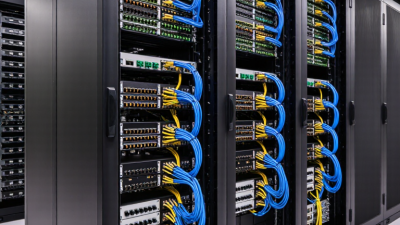
Choosing a data-center switch requires more than counting Ethernet ports. Compare port density, link speed, and switching capacity together. A compact 24-port model may suit a small rack with 10GbE servers. A 48-port model provides more connection room, but it may consume additional power. Higher-density options can include 25GbE, 40GbE, or 100GbE interfaces for demanding workloads.

Check the total switching capacity, usually measured in terabits per second. This figure shows how much traffic the switch can process across its ports. It does not guarantee real-world performance. Review forwarding rate, packet size, uplink design, and buffer capacity as well. A switch with many 100GbE ports may still become inefficient when uplinks are undersized. Watch oversubscription carefully.

In one rack design, I matched forty-eight 25GbE server ports with four 100GbE uplinks. The arithmetic looked acceptable. Bursty storage traffic exposed a weakness in the buffer profile. That mistake changed the final selection. Leave expansion space. Port counts often look generous until new hosts, monitoring devices, and backup links appear. Also verify breakout support, transceiver compatibility, latency, and airflow direction. Specifications can be easy to misread. A careful comparison should use identical assumptions for every model, including active ports, uplink usage, and expected traffic patterns.

Evaluate Layer 2 and Layer 3 Feature Support

Choosing a network switch requires more than checking port speed. Layer 2 support should include VLAN tagging, link aggregation, loop prevention, and rapid failover. These features keep a rack stable when a cable fails. Layer 3 capability adds inter-VLAN routing, static routes, OSPF, and policy-based filtering. In a growing data center, local routing can reduce unnecessary traffic across the core.

The 2024 Uptime Institute Global Data Center Survey reported that about 54% of respondents experienced an outage during the previous three years. That figure makes redundancy a practical requirement, not a theoretical feature. I have seen networks with excellent throughput still struggle because routing boundaries were poorly planned. This is where switch specifications can mislead. A long feature list does not prove usable performance. Check routing-table scale, convergence behavior, ACL capacity, telemetry, and software licensing. Independent testing from organizations such as the Internet Engineering Task Force and the University of New Hampshire InterOperability Laboratory can strengthen technical validation.

Tips: Map each VLAN before buying. Confirm IPv4 and IPv6 support. Test OSPF failover with real traffic. Ask whether every Layer 3 function works at the required port speed. Leave capacity for growth, but avoid paying for features your operations team cannot monitor. My own preference is cautious: a simpler design with clear failure paths often beats an impressive specification sheet. Still, that judgment should be challenged during a controlled pilot.

Assess Deployment Needs, Scalability, and Compatibility

Choosing a QFX Series network switch starts with the deployment, not the datasheet. Identify the workload first. A small office, data center leaf, and campus aggregation layer need different port densities, uplink speeds, and forwarding capacity. Record current traffic, peak utilization, rack depth, power limits, and cooling availability. These details prevent an expensive mismatch.

Plan for growth without buying unused capacity. Estimate device growth over three to five years, then leave practical headroom for traffic spikes. A switch with high port density may reduce future cabling, but it can increase power consumption and operating costs. Consider redundant uplinks, multi-chassis designs, and automation support before the rack is full. Staged expansion is often safer than one oversized purchase.

Compatibility deserves careful testing. Check fiber types, connector standards, transceiver support, interface speeds, MTU settings, and software features across the existing network. Confirm that routing, VLAN, EVPN, VXLAN, and monitoring tools work as expected. Test a sample configuration in a lab. Field conditions can expose problems that documentation misses. A spreadsheet helps, but it is not enough. Engineers should review real traffic patterns and maintenance procedures. I would also challenge my own assumptions, especially when a familiar design appears to fit perfectly. Configuration consistency matters more than attractive specifications.

Review Security, Management, Power, and Total Cost of Ownership

How to Choose Juniper QFX Series Network Switches

Selecting a QFX Series switch requires more than counting ports and comparing throughput. In production environments, security controls deserve early attention. Review access control lists, role-based administration, secure management protocols, and detailed audit logging. Hardware-based encryption may matter for sensitive east-west traffic. Check how policies behave during failover, not only during normal operation. A fast switch with weak operational controls can create expensive risks.

Management also shapes daily costs. Look for automation through APIs, consistent configuration models, streaming telemetry, and useful event alerts. Test these functions with your existing monitoring tools. Power planning should include peak draw, redundant supplies, airflow direction, and optical modules. A compact switch may look efficient, yet loaded transceivers can change the rack budget. Measure watts under realistic traffic. Lab results can mislead.

Tips: Build a three-year ownership worksheet. Include purchase price, optics, software subscriptions, support, electricity, rack space, spares, and technician time. Compare downtime exposure, too. I have seen teams underestimate migration labor and replacement inventory. That assumption failed during a maintenance window. Validate vendor claims with a small pilot, documented test cases, and independent performance checks. Leave room for uncertainty; traffic patterns rarely stay stable.

How to Choose Juniper QFX Series Network Switches - Review Security, Management, Power, and Total Cost of Ownership
Switch Profile Typical Deployment Downlink Capacity Uplink Capacity Port Speed Options Redundancy Recommended Scale
Capacity and Architecture
Compact Access Small office, branch, laboratory, or management network 24 ports 4 ports 1GbE downlinks; 10GbE uplinks Dual hot-swappable power supplies where available Up to 24 connected endpoints
High-Density Access Enterprise wiring closet or server access layer 48 ports 4–8 ports 1GbE downlinks; 10GbE or 25GbE uplinks Virtual chassis or multi-chassis link aggregation Up to 48 connected endpoints
10GbE Aggregation Data-center leaf, storage aggregation, or campus distribution 48 ports 4–6 ports 10GbE downlinks; 40GbE or 100GbE uplinks ECMP, MLAG-style designs, and redundant power Medium-density east-west traffic
25GbE Leaf Virtualized servers, high-performance storage, and modern data centers 48 ports 6–8 ports 25GbE downlinks; 100GbE uplinks Leaf-spine fabric with ECMP High-density server racks
100GbE Spine Data-center spine, core, or large-scale fabric backbone 32 ports 32 ports 100GbE; selected platforms support 400GbE Fully redundant fabric paths and power supplies Large east-west traffic volumes
Security and Network Protection
Identity and Access Control 802.1X authentication, MAC-based access control, role-based policies, and dynamic VLAN assignment Use centralized authentication with RADIUS or TACACS+ where supported High priority Required for controlled user and device access
Traffic Segmentation VLANs, private VLANs, VRFs, ACLs, and micro-segmentation policies Separate management, storage, user, and production traffic High priority Reduces lateral movement and limits broadcast domains
Control-Plane Protection CPU protection, storm control, DHCP snooping, IP source guard, and dynamic ARP inspection Confirm feature support and throughput impact before deployment High priority Protects switch infrastructure from malformed or excessive traffic
Secure Administration SSH, HTTPS, SNMPv3, centralized logging, configuration role separation, and secure boot features Disable insecure protocols and restrict management access by source network High priority Use certificate, key, and password rotation procedures
Management and Operations
Management Interface Command-line interface, web interface, NETCONF/YANG, REST APIs, and automation tools Prefer standards-based automation for repeatable configuration High priority Suitable for infrastructure-as-code and configuration validation
Telemetry and Monitoring SNMP, streaming telemetry, sFlow or equivalent flow records, syslog, and event alerts Export interface, buffer, error, temperature, and power metrics High priority Enables capacity planning and faster fault isolation
High Availability Link aggregation, redundant supervisors where applicable, graceful restart, and non-stop forwarding Validate failover behavior with production-like traffic High priority Target minimal packet loss during maintenance and component failure
Operational Complexity Configuration templates, zero-touch provisioning, image management, and centralized policy control Use standardized templates for access, leaf, and spine roles Medium priority Lower complexity generally reduces deployment and support costs
Power, Cooling, and Five-Year Cost Model
Compact Access Typical input power 45 W Five-year energy cost US$296 Estimated purchase price US$1,800
High-Density Access Typical input power 65 W Five-year energy cost US$427 Estimated purchase price US$2,700
10GbE Aggregation Typical input power 160 W Five-year energy cost US$1,051 Estimated purchase price US$6,500
25GbE Leaf Typical input power 220 W Five-year energy cost US$1,445 Estimated purchase price US$9,800
100GbE Spine Typical input power 320 W Five-year energy cost US$2,102 Estimated purchase price US$14,500
Total Cost of Ownership Five-year TCO includes hardware, installation, support, and electricity Electricity calculation: watts ÷ 1,000 × 8,760 hours × 5 years × US$0.15/kWh Actual costs vary by configuration, service level, local energy price, and shipping
Compact Access TCO US$3,846 High-Density Access TCO US$5,677 10GbE Aggregation TCO US$12,551
25GbE Leaf TCO US$18,445 100GbE Spine TCO US$26,502 Planning period 5 years
Planning assumptions: one switch, US$0.15 per kWh, 8,760 operating hours per year, estimated installation cost of US$250–US$900, and annual support cost of approximately US$300–US$1,800. Power figures represent typical non-PoE operating levels; actual consumption depends on optics, traffic, fans, temperature, and installed modules.